The stack reads bottom-up: the layer at the bottom of the list is drawn first, and everything above it is composited on top.
Adding one
| How | What |
|---|---|
| + add layer | At the foot of the stack. |
| ⌘O | The same thing from the keyboard. |
| Drag and drop | A folder or a link dropped on the window becomes a layer. |
| ⌘V | An address already on the clipboard. |
You can browse to a folder, or to the file that starts it. What counts as a valid sketch is in what Sialk plays.
Layers from an address, pasting or dropping a URL, arrive with v1.
Mixing one
| Control | Where it is | Notes |
|---|---|---|
| Opacity | The amber bar | Drag it. A click does nothing on purpose, so selecting a layer can never fade it by accident. |
| Blend | The dropdown | normal, add, screen, multiply. |
| On / off | The ON at the top right of the row |
Keeps the layer and its settings; stops drawing it. |
| Order | Drag the card | Or ↑ / ↓, or ⌘↑ / ⌘↓. |
| Remove | Hover the layer's number | It becomes ✕. Press it twice, or ⌘⌫. |
Removal asks twice by design. One press arms it, the second does it, a single misplaced click during a set should never delete a layer.
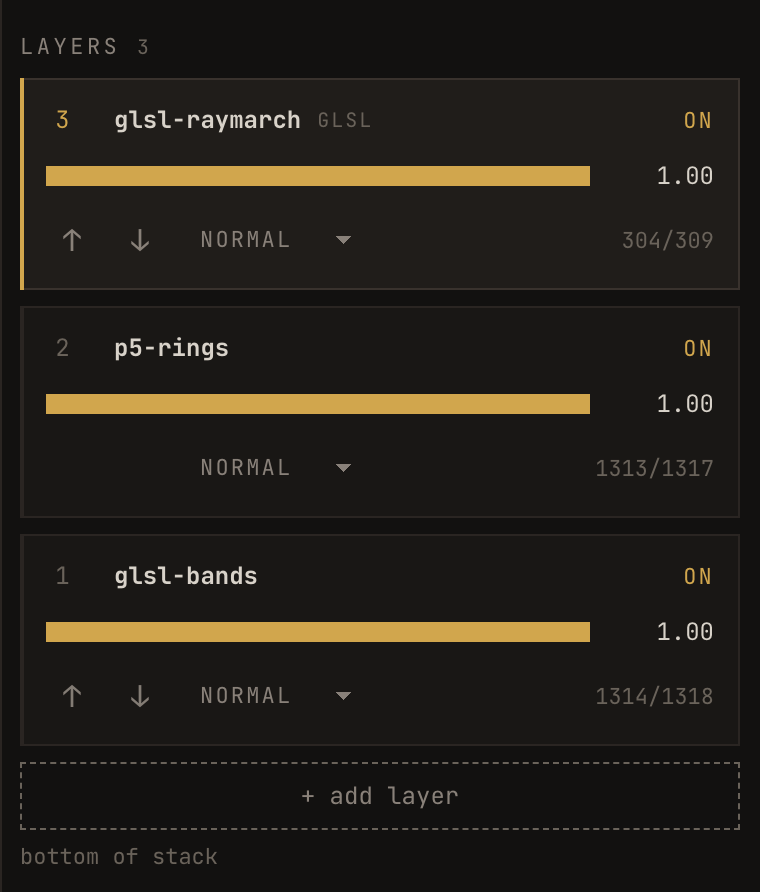
Reading the numbers
The two numbers at the bottom right of a layer - 2448/2448 - are frames
painted against frames delivered. They should track each other.
If the second number stops moving, that sketch has stopped. The show continues; the compositor keeps drawing the last frame it received from that layer. See when something goes wrong.
A layer with no background is transparent
If your sketch never paints a background, the layer is transparent and whatever is beneath it shows through.
This surprises people, and it is not a bug, it is the same behaviour as a browser source anywhere else. If you want the layer opaque, paint it:
background(0); // p5
// GLSL: return an alpha of 1.0
fragColor = vec4(colour, 1.0);
Left transparent on purpose, it is one of the most useful things in the stack: a sketch that draws only its shapes will sit over another sketch cleanly with no blend mode needed at all.
Placing a layer
Scale, position and rotation are parameters Sialk gives every layer, whatever the sketch is. They arrive with v1, see parameters.